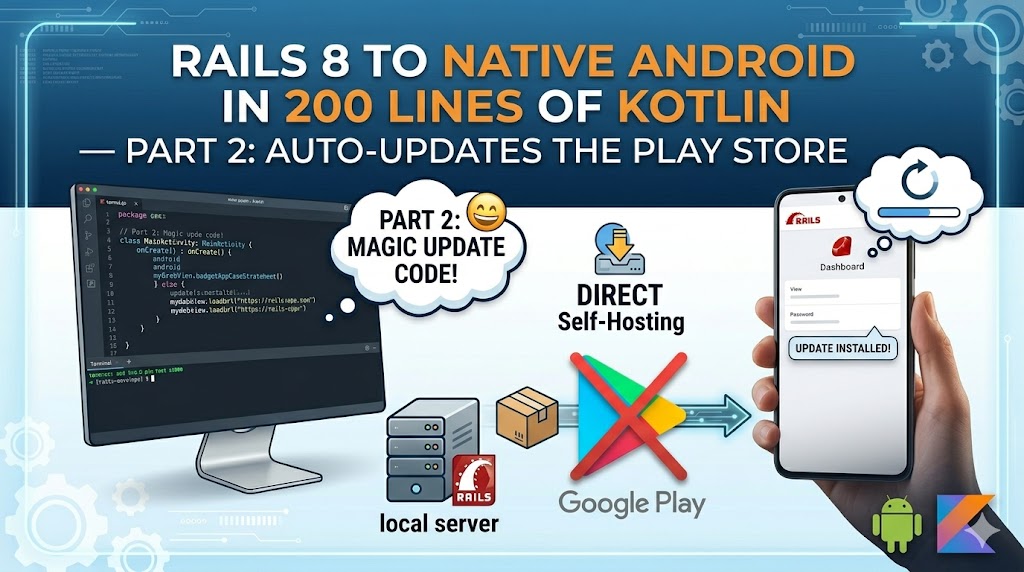
The Problem
When you distribute an APK outside the Play Store, users have no way to know when updates are available. They'll use version 1.0 forever unless you tell them. We need:
- Automatic version checking on app launch
- Update prompt with what's new
- Force update capability for breaking changes
- Direct download from your own server
The Rails API Endpoint
First, create an endpoint that returns the current app version:
# config/routes.rb
namespace :api do
  namespace :v1 do
    get "app_version", to: "app_version#show"
  end
end
# app/controllers/api/v1/app_version_controller.rb
module Api
  module V1
    class AppVersionController < ApplicationController
      skip_before_action :authenticate_user!

      def show
        render json: {
          version_code: 3,
          version: "1.2.0",
          download_url: "https://yourapp.com/mobile",
          message: "New: Video calling and staff meetings!",
          force_update: false
        }
      end
    end
  end
end
version_code is the integer that matters — it's what the app compares against. version is the display string for the prompt. force_update is the nuclear option — when true, the user cannot dismiss the dialog.
In practice, update this controller (or back it with a database record / SiteSetting) when you ship a new APK.
The Android Update Checker
class UpdateChecker(private val activity: AppCompatActivity) {

    fun check() {
        // Run on background thread
        Thread {
            try {
                val url = URL("${BuildConfig.BASE_URL}/api/v1/app_version")
                val connection = url.openConnection() as HttpURLConnection
                connection.requestMethod = "GET"
                connection.connectTimeout = 5000

                if (connection.responseCode == 200) {
                    val response = connection.inputStream.bufferedReader().readText()
                    val json = JSONObject(response)

                    val serverVersionCode = json.getInt("version_code")
                    val currentVersionCode = getLocalVersionCode()

                    if (serverVersionCode > currentVersionCode) {
                        val version = json.getString("version")
                        val downloadUrl = json.getString("download_url")
                        val message = json.optString("message", "A new version is available.")
                        val forceUpdate = json.optBoolean("force_update", false)

                        // Show dialog on main thread
                        activity.runOnUiThread {
                            showUpdateDialog(version, message, downloadUrl, forceUpdate)
                        }
                    }
                }
            } catch (e: Exception) {
                // Silent fail — don't block the app if API is unreachable
            }
        }.start()
    }
}
Design decisions:
- Background thread — doesn't block the UI while checking
- Silent failure — if the API is down or the user is offline, the app works normally
- 5-second timeout — doesn't hang on slow connections
The Update Dialog
When an update is available, show an AlertDialog:
- Normal update: Title, message, "Update" and "Later" buttons. User can dismiss.
- Force update: Same dialog but
setCancelable(false)and no "Later" button. User must update to continue.
The "Update" button opens the download URL in the system browser — your Rails app serves the download page where the APK is hosted.
Triggering the Check
Call it once on app launch in MainActivity.onCreate:
override fun onCreate(savedInstanceState: Bundle?) {
    super.onCreate(savedInstanceState)
    // ... setup code ...

    if (savedInstanceState == null) {
        UpdateChecker(this).check()
    }
}
The savedInstanceState == null check ensures it only runs on fresh launch, not on configuration changes (screen rotation).
Hosting the APK
Your Rails app needs a download page and the APK file:
# config/routes.rb
get "mobile", to: "pages#download"
The view shows your app icon, version info, installation instructions, and a download button pointing to the APK file in public/.
Post-deploy script — if you use Hatchbox or Capistrano, the current directory changes on every deploy. Copy the APK from shared to current:
# In your deploy hook or post-deploy script
cp ~/app/shared/public/app.apk ~/app/current/public/app.apk
Without this, the download link breaks after every deploy.
Version Management Workflow
- Make changes to the Android app
- Increment
versionCodeinbuild.gradle - Build the APK:
./gradlew assembleDebug - Upload APK to your server's
shared/public/ - Update the Rails API endpoint with the new
version_code - Deploy Rails
- Users get the update prompt on next app launch
For force updates (breaking changes, security patches):
- Set force_update: true in the API response
- Users see a non-dismissible dialog on launch
- App is unusable until they update
What You Have Now
Your app:
- Checks for updates on every launch (silently)
- Shows a friendly prompt when updates are available
- Can force users to update for critical releases
- Downloads directly from your server — no Play Store
- Handles offline and API failures gracefully
Next: Part 3 — Video Permissions, Scroll Fixes, and Production Polish
We'll handle the hardest part of WebView apps — bridging native camera/microphone permissions for embedded video calls, fixing the infamous scroll conflict, and polishing for production distribution.
Shipping your Rails app to Android? Reach out — I'll help you skip the pitfalls.
Leave a comment