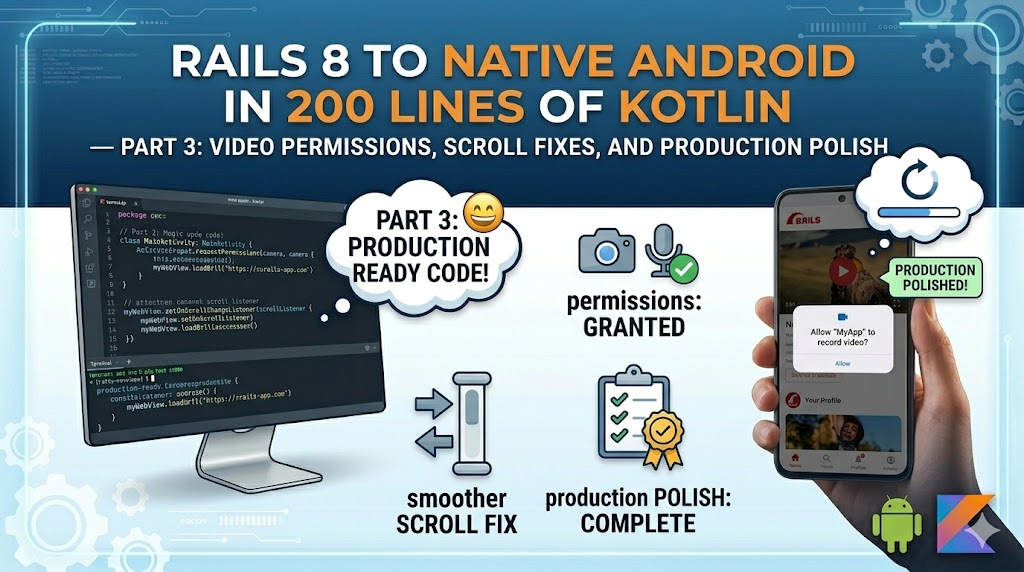
The Camera/Microphone Problem
If your Rails app embeds video calling (Jitsi, Twilio, Daily.co — anything using WebRTC), it won't work in the Android WebView out of the box. Here's why:
- Your web page requests camera/mic access via the browser's
getUserMediaAPI - In a regular browser, Chrome shows the permission prompt and handles everything
- In a WebView, the request hits
WebChromeClient.onPermissionRequest— which denies everything by default - The video call silently fails or shows "camera not available"
The Fix: Three Layers of Permission
Layer 1: AndroidManifest.xml
Declare that your app uses camera and microphone hardware:
<uses-permission android:name="android.permission.CAMERA" />
<uses-permission android:name="android.permission.RECORD_AUDIO" />
<uses-permission android:name="android.permission.MODIFY_AUDIO_SETTINGS" />
Without these, Android won't even show the permission dialog — the request silently fails.
Layer 2: WebChromeClient Override
Override onPermissionRequest to bridge the web request to Android's permission system:
webChromeClient = object : WebChromeClient() {
    override fun onPermissionRequest(request: PermissionRequest?) {
        request ?: return

        // Map web permission types to Android permission strings
        val needed = mutableListOf<String>()
        request.resources.forEach { resource ->
            when (resource) {
                PermissionRequest.RESOURCE_VIDEO_CAPTURE ->
                    needed.add(Manifest.permission.CAMERA)
                PermissionRequest.RESOURCE_AUDIO_CAPTURE ->
                    needed.add(Manifest.permission.RECORD_AUDIO)
            }
        }

        // Check current state and request if needed
        // On grant: request.grant(request.resources)
        // On deny: request.deny()
    }
}
Layer 3: Runtime Permission Request
Android requires runtime permission requests for camera and microphone (not just manifest declarations). You need to:
- Check if permission is already granted
- If not, store the
PermissionRequestreference - Launch the Android permission dialog
- In the callback, grant or deny the stored request
The ActivityResultContracts.RequestMultiplePermissions() API handles this cleanly without the old onRequestPermissionsResult boilerplate.
The iframe allow Attribute
On the Rails side, your video iframe needs the correct permission policy:
<iframe
  src="<%= video_url %>"
  allow="camera *; microphone *; fullscreen *; display-capture *; autoplay *; encrypted-media *"
  allowfullscreen>
</iframe>
The * wildcard is essential — it grants the permission to the cross-origin iframe (your Jitsi server inside your app domain). Without the wildcard, mobile browsers (and WebViews) silently block the permission delegation.
The Complete Flow
User joins video call in app
  → iframe requests getUserMedia()
  → WebView fires onPermissionRequest(RESOURCE_VIDEO_CAPTURE, RESOURCE_AUDIO_CAPTURE)
  → Kotlin checks Android permissions
  → First time: shows "Allow camera?" system dialog
  → User taps "Allow"
  → Kotlin calls request.grant(request.resources)
  → WebView allows getUserMedia()
  → Video call works
  → Subsequent calls: permission already granted, no dialog
The Scroll Conflict
This is the single most frustrating issue with WebView-based apps, and almost no tutorials address it properly.
The Problem
Android's SwipeRefreshLayout (pull-to-refresh) intercepts vertical scroll gestures at the top of the page. When the user scrolls up inside the web content and reaches the top, further upward scrolling triggers the refresh gesture instead of bouncing the content. The result: the page gets stuck and won't scroll back up properly.
In our case, teachers were trying to scroll up through attendance records and the page would freeze, then reload unexpectedly.
Solutions We Tried (And Why They Failed)
1. Disable SwipeRefreshLayout on scroll up
kotlin

webView.setOnScrollChangeListener { _, _, scrollY, _, _ ->

    swipeRefresh.isEnabled = scrollY == 0

}
Inconsistent — race condition between scroll position detection and gesture recognition.
2. CSS viewport height units
css

height: 100dvh; /* dynamic viewport height */
Helped with some layout issues but didn't fix the gesture conflict.
3. -webkit-overflow-scrolling: touch
No effect in modern Android WebView.
4. Custom SwipeRefreshLayout subclass
Overriding canChildScrollUp() — worked sometimes, failed in nested scroll containers.
The Solution That Actually Works
Disable SwipeRefreshLayout entirely. Add a Refresh button to the bottom tab bar.
swipeRefresh?.isEnabled = false
In the bottom navigation menu:
xml

<item

    android:id="@+id/nav_refresh"

    android:icon="@drawable/ic_refresh"

    android:title="Refresh" />
Handle it in MainActivity:
kotlin

binding.bottomNavigation.setOnItemSelectedListener { item ->

    if (item.itemId == R.id.nav_refresh) {

        (activeFragment as? WebViewFragment)?.reload()

        // Re-select the previous tab

        binding.bottomNavigation.selectedItemId = currentTabId

        false  // Don't actually select this tab

    } else {

        loadTab(item.itemId)

        true

    }

}
Why this works: No gesture conflict. Users tap the refresh icon when they need to reload. The refresh button is always visible, always reliable, and doesn't interfere with content scrolling. It's also more discoverable than pull-to-refresh — some users don't know they can pull down.
Production Polish
App Icon
Generate icons for all Android density buckets from your logo:
| Density | Size | Directory |
|---|---|---|
| mdpi | 48x48 | mipmap-mdpi/ |
| hdpi | 72x72 | mipmap-hdpi/ |
| xhdpi | 96x96 | mipmap-xhdpi/ |
| xxhdpi | 144x144 | mipmap-xxhdpi/ |
| xxxhdpi | 192x192 | mipmap-xxxhdpi/ |
Use ImageMagick to batch-generate:
bash

for size in 48 72 96 144 192; do

  convert logo.png -resize ${size}x${size} icon_${size}.png

done
Splash Theme
Create a splash theme that shows your brand colour immediately on launch:
<style name="Theme.MyApp.Splash" parent="Theme.MaterialComponents.DayNight.NoActionBar">
    <item name="android:windowBackground">@color/forest_green</item>
    <item name="android:statusBarColor">@color/forest_green</item>
</style>
Apply it to the activity in the manifest, then switch to the regular theme in onCreate. The user sees your brand colour instantly while the WebView loads.
Deep Links
Register your domain so clicking links to your app opens the native app instead of the browser:
<intent-filter android:autoVerify="true">
    <action android:name="android.intent.action.VIEW" />
    <category android:name="android.intent.category.DEFAULT" />
    <category android:name="android.intent.category.BROWSABLE" />
    <data android:scheme="https" android:host="yourapp.com" />
</intent-filter>
Handle the incoming intent in MainActivity to route the deep link to the correct tab.
Distribution
Build the APK:
```bash
./gradlew assembleDebug
Output: app/build/outputs/apk/debug/app-debug.apk
**Upload to your server:**
```bash
scp app-debug.apk deploy@yourserver:~/app/shared/public/app.apk
Create a download page in your Rails app with:
- App icon and name
- Current version number
- "Download" button linking to the APK
- Installation instructions (enable "Unknown sources" / "Install unknown apps")
- QR code for quick mobile access
For signed release builds (required for Play Store, optional for side-loading):
bash

./gradlew assembleRelease
You'll need to configure a signing key in build.gradle — but for internal distribution, debug builds work fine.
The Final App
| Component | Lines of Code |
|---|---|
| MainActivity.kt | ~80 lines |
| WebViewFragment.kt | ~120 lines |
| UpdateChecker.kt | ~50 lines |
| Layouts (XML) | 2 files |
| Total Kotlin | ~250 lines |
The app:
- Opens instantly with branded splash screen
- Five-tab navigation with instant switching (no page reloads)
- Persistent login sessions via cookie management
- Auto-update checking with force-update support
- Camera and microphone access for video calls
- Reliable scrolling (no gesture conflicts)
- External URLs open in system browser
- Deep link support from URLs and notifications
- Direct distribution without Play Store
And the Rails app? Zero changes to serve native. Same views, same controllers, same Turbo and Stimulus. The hotwire_native_app? helper conditionally hides web navigation — that's the only touch point.
When to Use This Pattern
Perfect for:
- School portals, clinic systems, internal business tools
- Apps where the web version is already responsive
- Teams without mobile developers
- Apps needing video/audio in WebView
- Internal distribution (not competing in app stores)
Not ideal for:
- Consumer apps (users expect native animations and performance)
- Offline-first requirements
- Heavy native hardware integration (Bluetooth, NFC, AR)
The Bottom Line
You don't need React Native. You don't need Flutter. You don't need to rewrite anything. If your Rails app works on mobile Chrome, it works in a native Android shell — with bottom tabs, persistent sessions, video calling, and auto-updates.
200 lines of Kotlin. One afternoon. Ship it.
This approach powers the LVHS school management app serving 2,500+ students and 150+ staff. Admin, teacher, student, and parent portals — all from a single Rails 8 codebase, accessible on web and native Android.
Building something similar? Let's talk — I can help you ship your Rails app to Android in a day.
Leave a comment